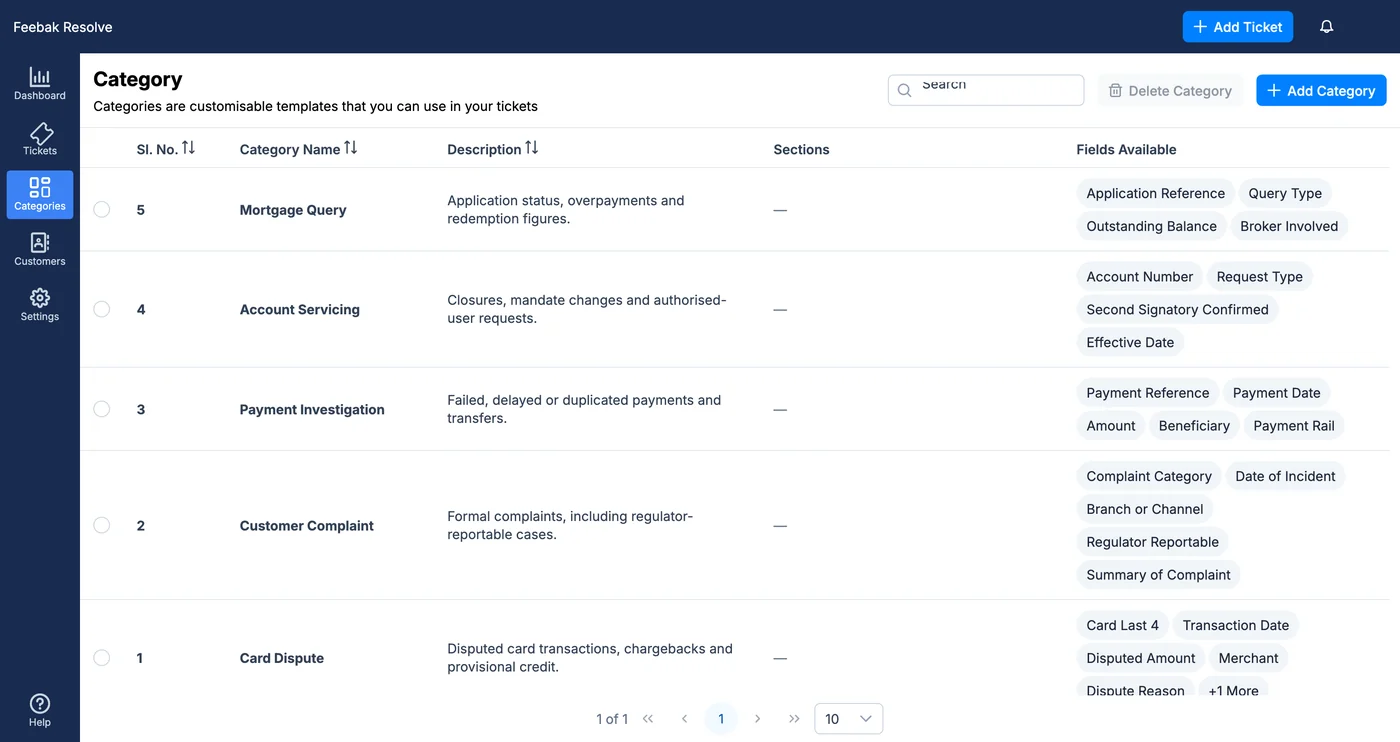
Case Categories & Custom Fields
Model your business, not a generic ticket. Define case types with the fields you actually capture: text, dropdowns, dates and structured data. Reporting comes out clean instead of buried in free text.
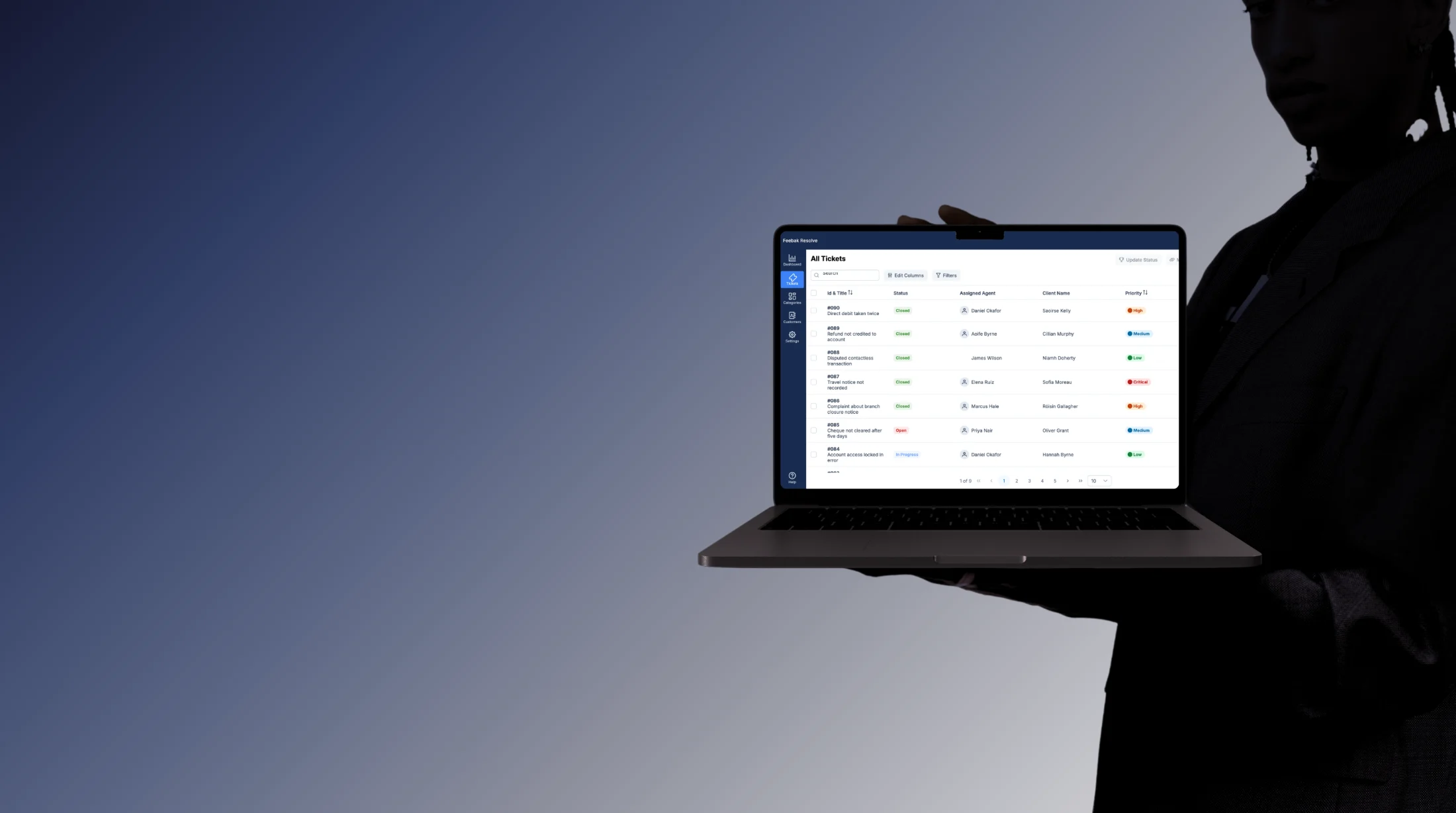
The call ends. The case doesn't. Feebak Resolve keeps every follow-up, approval and complaint inside Genesys: opened from the interaction, owned by a named agent, and closed against an SLA your team can actually see.
WHAT WE DO
Genesys Cloud handles the interaction beautifully. But a refund still needs approving. A complaint still needs investigating. A part still needs shipping.
The moment the customer hangs up, that work leaves Genesys and lands in a spreadsheet, a shared inbox, or a CRM nobody in the contact centre has a licence for. Nothing is assigned. No clock is running.
The next time anyone looks at it is when the customer calls back to ask, and now you're paying to handle the same issue twice.
Feebak Resolve is a case management application for Genesys Cloud. A case is created from the interaction itself, pre-filled with the contact, the queue, and the conversation that started it. From there it carries its own owner, category, custom fields, SLA clock and complete communication history until it is closed.
Because Resolve runs on your Genesys org, there is no second directory to administer. Divisions, roles and login come from Genesys. Agents sign in once.
Teams use Resolve for:
 Complaints that need investigating beyond the first callRefunds, credits and claims waiting on an approvalBack-office requests handed from the front line to a specialist teamRegulated cases with a mandated response windowAnything a customer is going to phone back about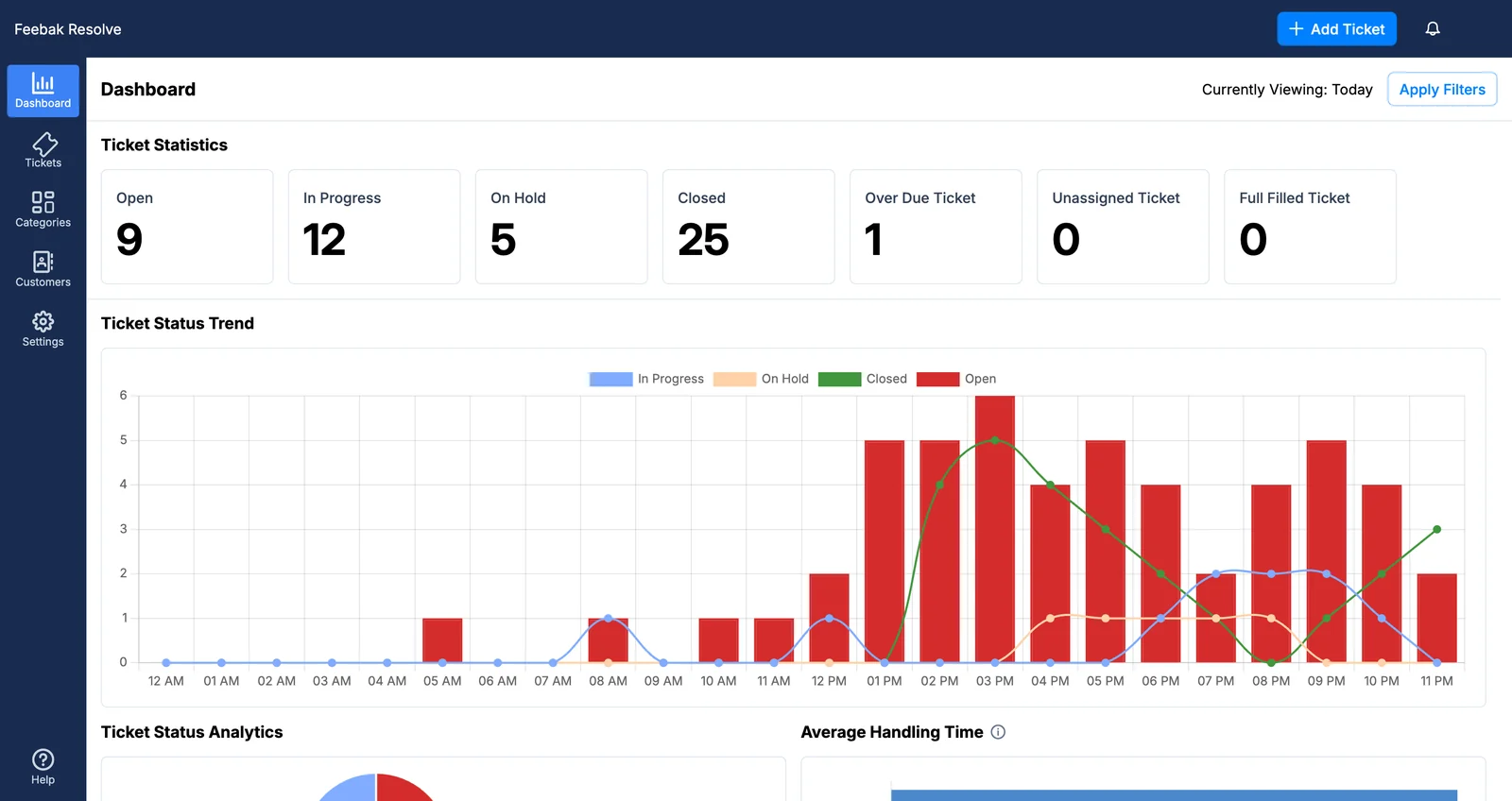
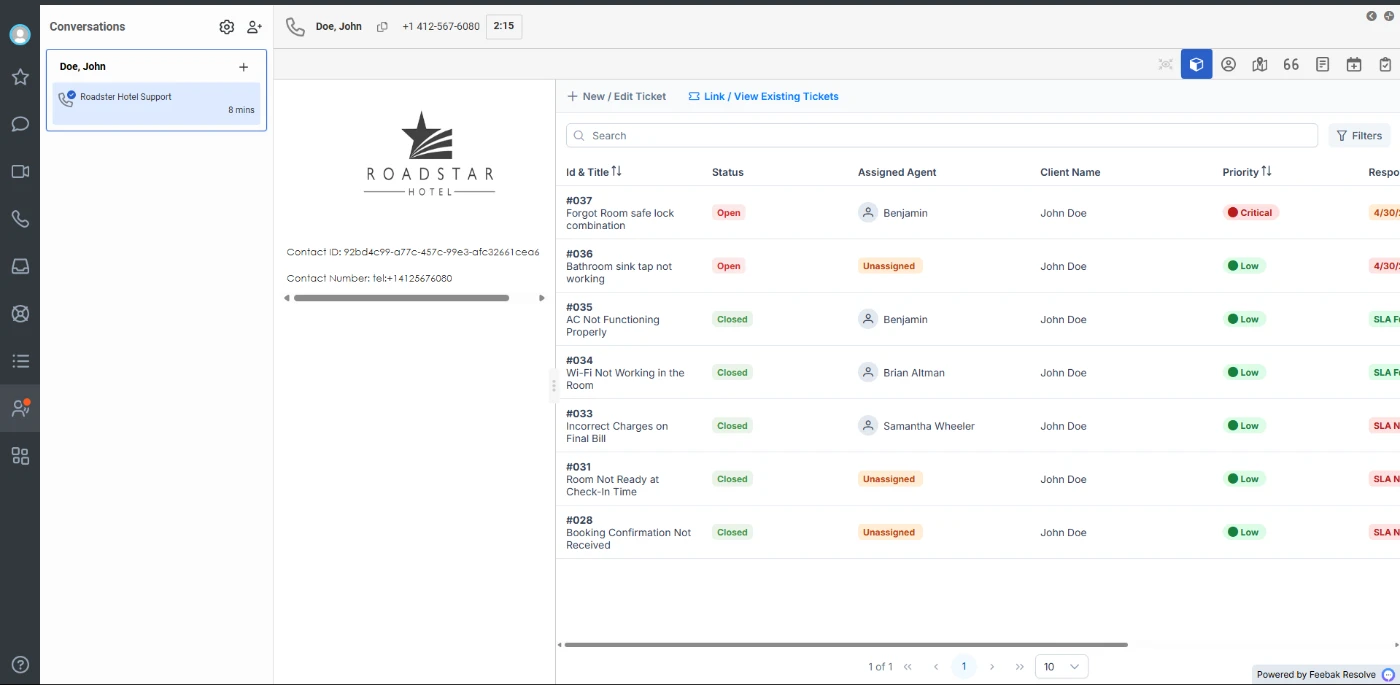
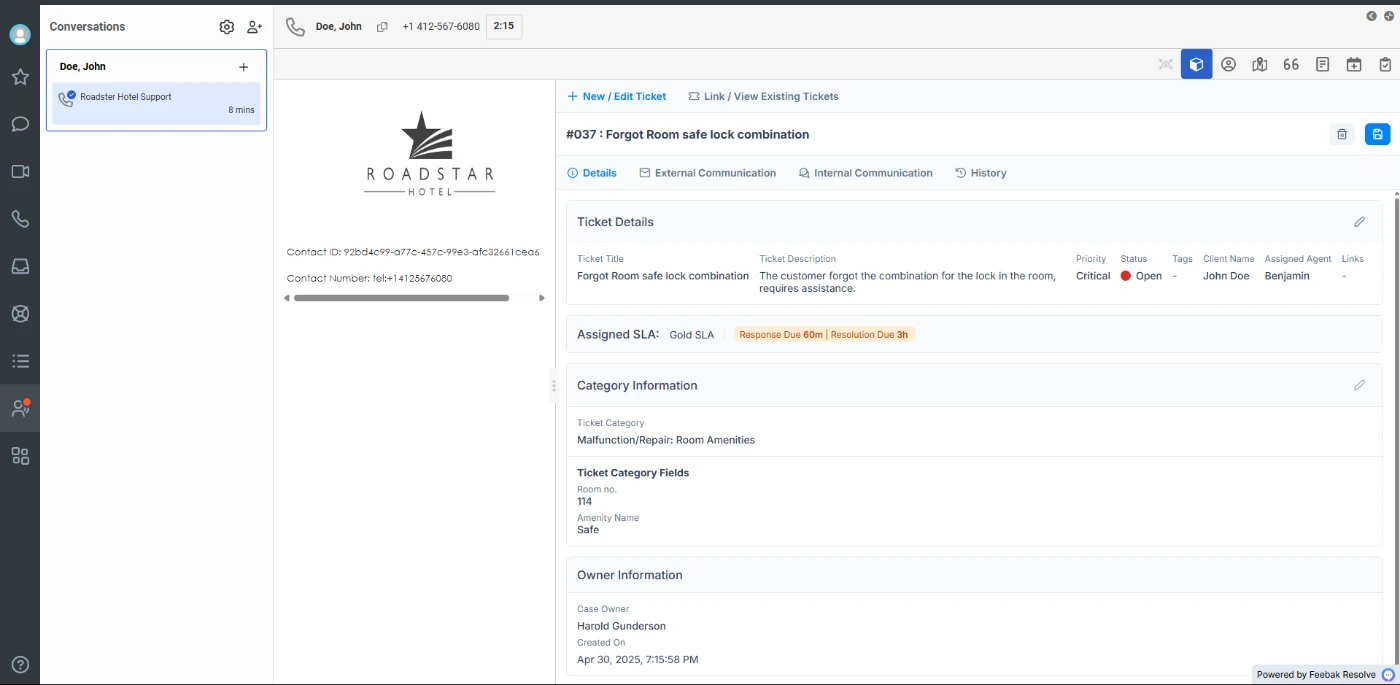
Resolve runs as an interaction widget inside the Genesys Cloud agent desktop. While the customer is still on the line, an agent can see every case that contact has ever raised, open a new one against the live interaction, or add to an existing case, without switching systems or asking the customer to start again.
The case picks up the contact and the conversation from the interaction in progress. Nothing is re-typed and nothing is asked twice.
Every case that contact has raised before is already on screen when the agent answers.
Resolve uses the contact details Genesys already holds, so your team is not maintaining two records of the same person.
It looks and behaves like the rest of the agent desktop, so it needs explaining once rather than training on.
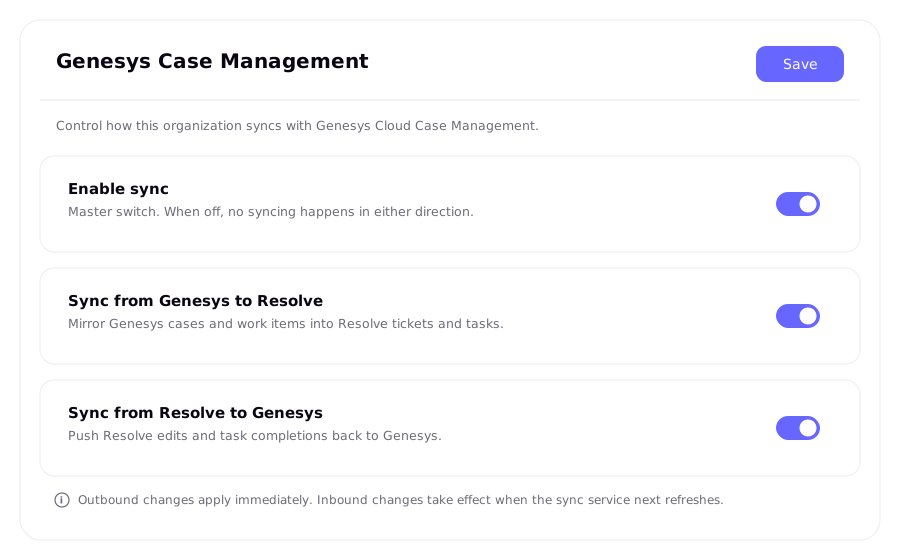
Genesys Cloud Case Management keeps the case. Feebak Resolve makes it workable. The two stay in step automatically, in both directions.
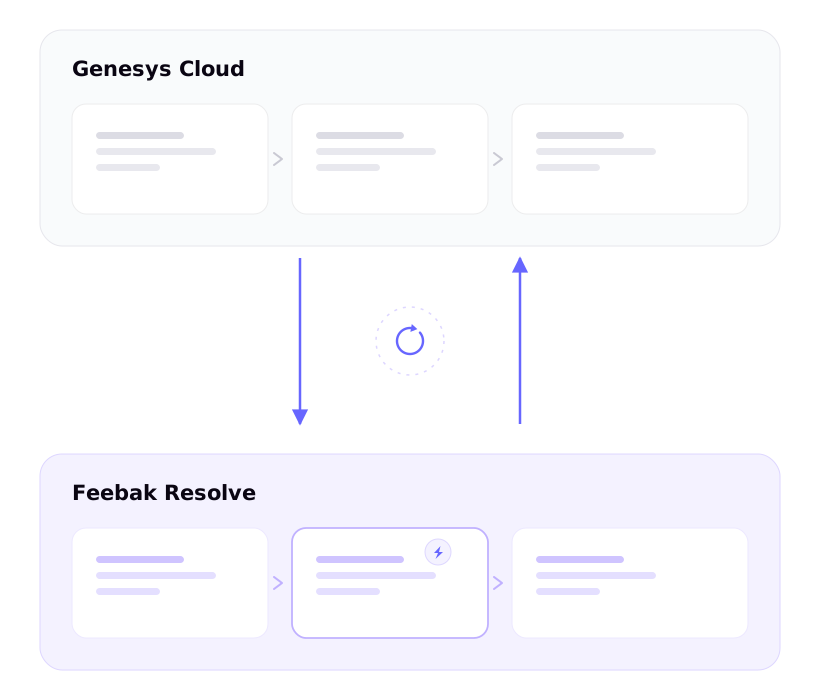
Resolve was built to mirror the way Genesys models a case, so the two products speak the same shape of work and nothing is lost in translation between them.
| Genesys Cloud | Feebak Resolve |
|---|---|
| Case Plan | Category |
| Stage | Section |
| Work Item | Task |
| Case | Ticket |
| Contact | Customer |
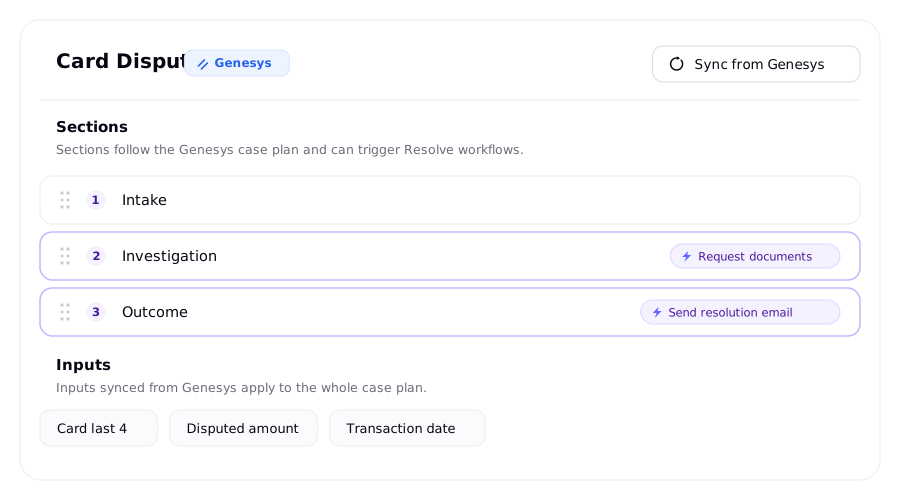
A new type of case in Genesys builds its own matching category and sections in Resolve, and creates the customer and the assigned agent if they aren't there yet. Nobody configures the same process in two places.
Completing a task in Resolve advances or closes the case in Genesys; editing case details updates them there too. Near real-time, with a periodic re-check so nothing is quietly missed.
Each section can run a workflow of its own. As one step finishes the next begins and its workflow fires. The customer portal, agent notes and SLA clocks come with it.
Case handling in a contact centre fails in four predictable places: the record, the handover, the reply, and the deadline. Resolve covers all four.
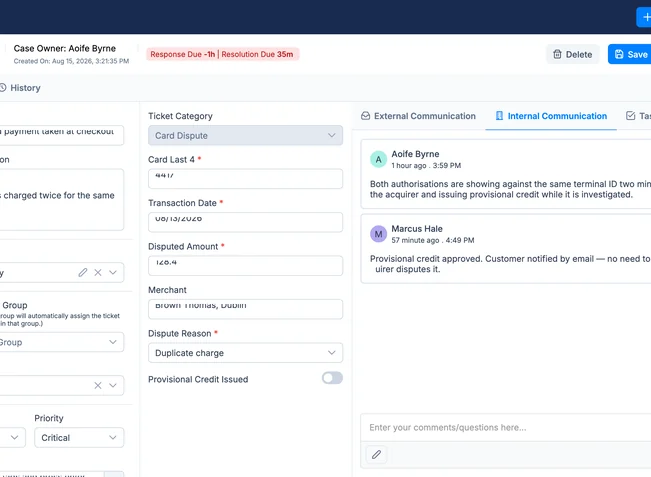
Model your business, not a generic ticket. Define case types with the fields you actually capture: text, dropdowns, dates and structured data. Reporting comes out clean instead of buried in free text.
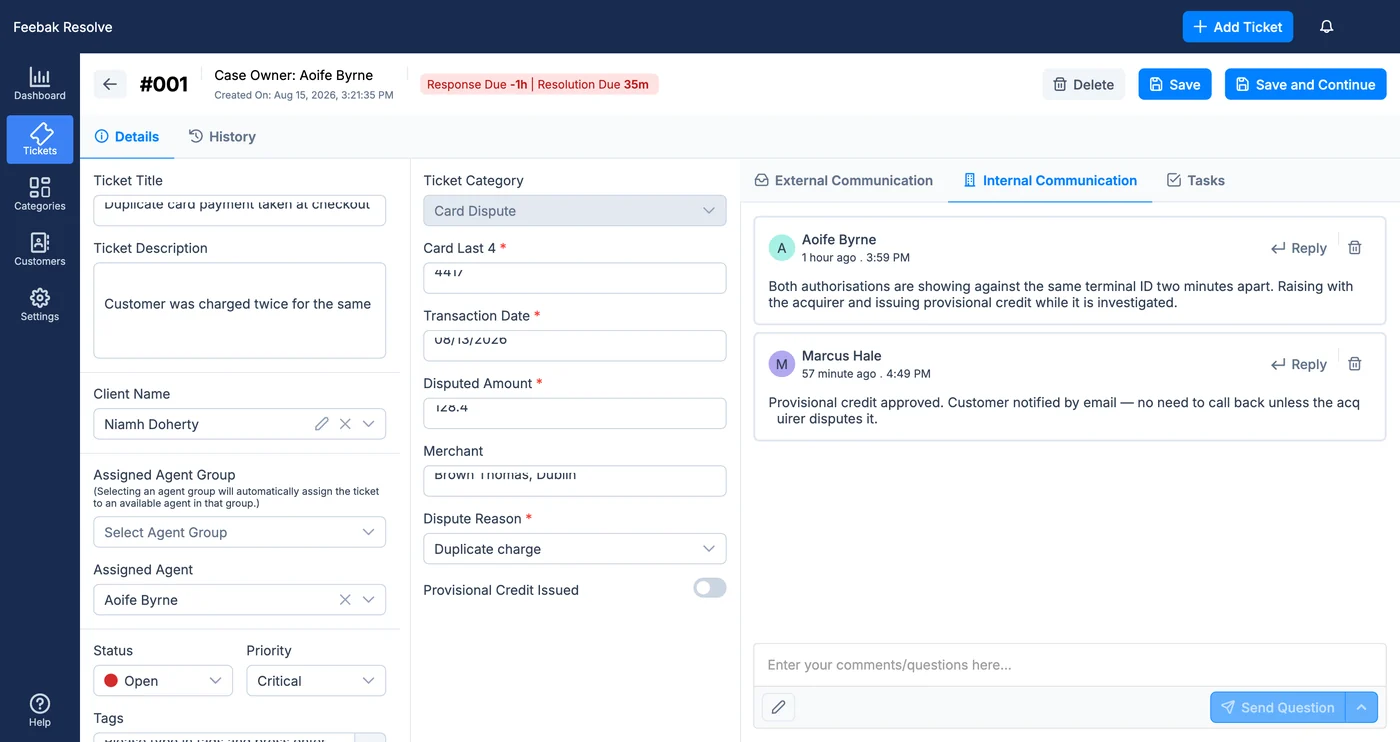
Agent-to-agent chat and internal notes attached to the case and invisible to the customer. Hand a case to a specialist team with the whole story intact, not a forwarded email.
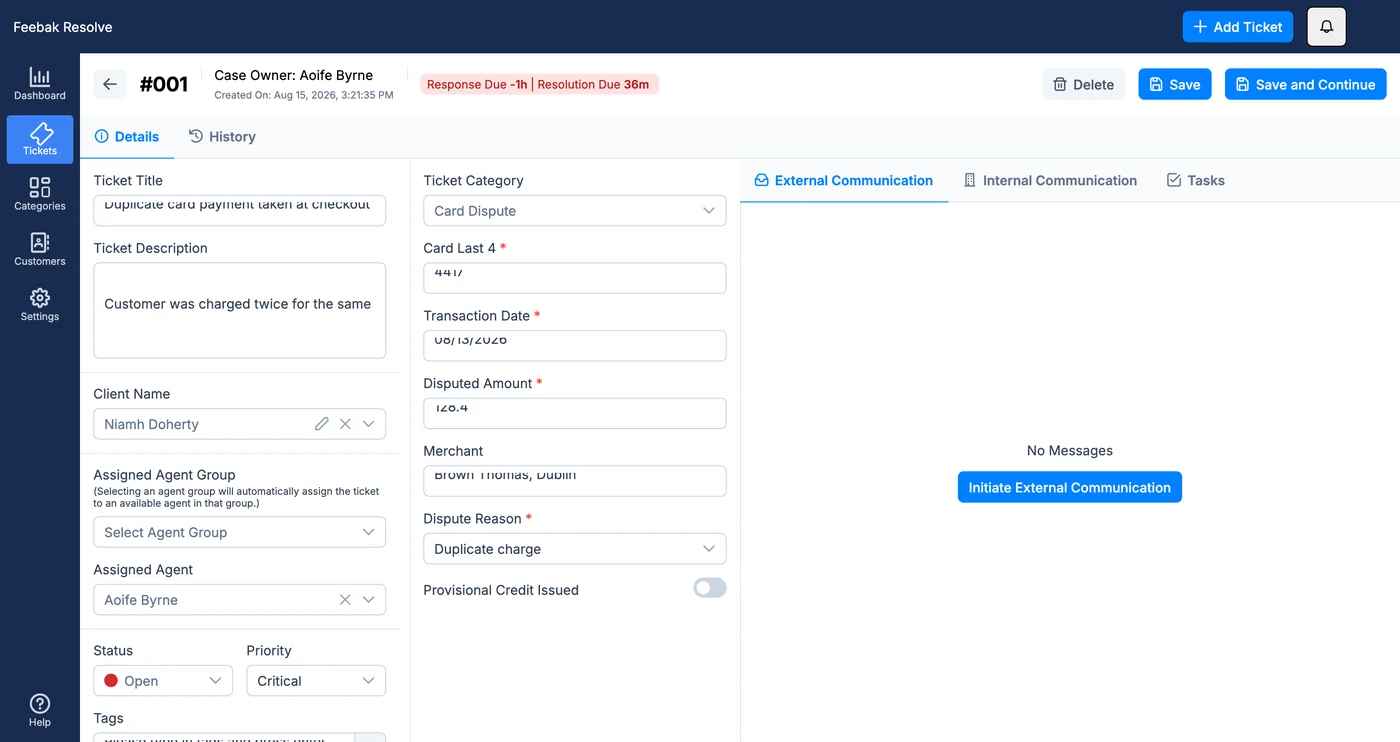
Two-way email that threads onto the case by itself. The customer replies to a person, the case updates, and nobody spends their morning re-filing messages into the right folder.
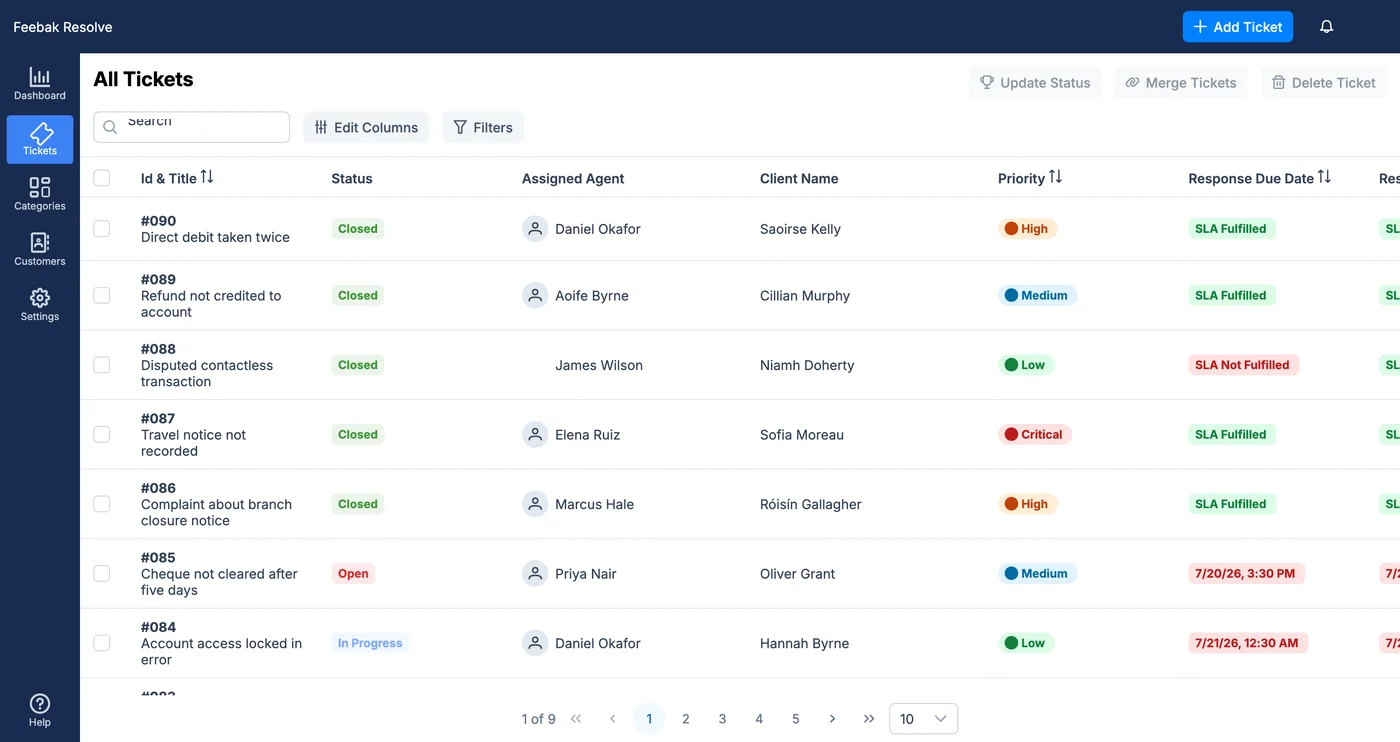
Clocks that respect your work schedules rather than wall time. Resolve knows when your teams are open, warns before a target is missed, and escalates when it is.
Every “where's my case?” call is a call you already paid to handle once. The Resolve portal gives customers a secure view of their own cases: current status, what has happened so far, and a way to add information or documents without opening a new interaction.
The same case record the agent sees, filtered to what the customer should see.
Email and password access scoped to that customer's own cases.
Customer replies land on the case timeline, not in an inbox.
Upload and retrieve the paperwork a case depends on, attached to the record.
Consistency in a contact centre shouldn't depend on who is on shift. Build the path a case takes once, and Resolve runs it every time.
Fire on case creation, status change, field update, or an approaching SLA threshold.
Define the path a case takes through your organisation, and the conditions that move it forward.
Email and SMS to the customer and to internal teams, at the milestones that matter.
Build and change workflows in the interface. No developer, no release cycle.
Most case tools ask your contact centre to adopt a second platform, with its own users, its own permissions and its own login. Resolve inherits yours, which is the difference between a rollout and an install.
Agents sign in with the Genesys credentials they already have. Nobody provisions a second account, and nobody forgets a second password.
Cases follow the divisions and roles your administrators already maintain. There is no second access model to keep in step with the first.
No separate user directory to reconcile. When someone joins the team or leaves it, you change it in one place.
When a customer replies, the message lands on the case it belongs to. Nobody spends their morning re-filing email.
Three situations every contact centre recognises, and what changes when the case lives inside Genesys.
A customer complains about fees they should not have paid. There is a clock on the response, and the agent who took the call finishes their shift at five.
The case is opened from the interaction with the complaint type and the deadline already attached. It has a named owner, it is visible to their team lead, and it escalates before the deadline rather than after it.
The retailer says the refund was issued. The customer says it never arrived. Two teams each assume the other is chasing it.
One case record, one named owner, and a full history of who did what and when. The customer checks the portal instead of calling back a third time.
The front line cannot resolve it. Today that means forwarding an email and hoping somebody picks it up.
The case moves with its whole history intact: internal notes, customer messages and documents. Nothing is re-explained, and nothing quietly stops.
 With Feebak Resolve
Feebak connects every stage of customer experience on Genesys Cloud, from the moment feedback is collected to the moment an issue is fully resolved.
Listen to every customer
A full voice-of-customer programme for Genesys Cloud, not just a survey tool.
Understand every conversation
AI conversation intelligence that finds the pattern across millions of interactions.
Act before it's too late
Case management that finishes the work the conversation started.
Protect your operation
Configuration management and disaster recovery for Genesys Cloud.
Resolve does not create a parallel place where your customer data lives. Access is governed by the Genesys Cloud org your team already administers, so the controls your security team has already signed off continue to apply.
 ISO 27001
ISO 27017
GDPR
SOC
HIPAA
ISO 27001
ISO 27017
GDPR
SOC
HIPAA
Trusted Across the Genesys Ecosystem
Feebak has been building exclusively for Genesys Cloud since 2019. Resolve is the newest product in that suite, and it inherits the same platform, the same security posture and the same delivery team. Figures below are for the Feebak suite as a whole.

The questions Genesys Cloud teams actually ask before a trial.
Yes, and deliberately. Resolve is built exclusively for Genesys Cloud, which is why it can use your existing divisions, roles and login rather than duplicating them. That focus is what makes it native instead of merely integrated.
No. Resolve uses Genesys managed login, so agents authenticate with the credentials they already have. There is no second account to provision when someone joins, and nothing extra to revoke when they leave.
A CRM or helpdesk asks your contact centre to work in a second system. Resolve puts the case in the agent's Genesys desktop, opened from the live interaction and pre-filled with its context. The work stays where the conversation happened.
No, it complements it. Genesys keeps the case; Resolve becomes the workspace on top of it, adding the customer portal, agent notes, SLA clocks and per-step workflows. Cases, stages, fields, customers and agents stay in sync both ways, so a change on either side shows up on the other. Comments and attachments stay in Resolve rather than syncing across.
Yes. The customer portal gives each customer secure access to their own case status, history, messages and documents, which turns “where's my case?” callbacks into a page they check themselves.
Yes. Define your own case categories with text, dropdown, date and structured fields so cases match your processes. Because the fields are structured rather than free text, reporting stays clean.
Yes. Cases and users are division-aware, and Resolve honours the permission model configured in your Genesys org. Administrators do not maintain a second set of access rules.
It lands on the case it belongs to, automatically, with the rest of the conversation. Nobody has to go looking for the case and file the message against it by hand.
Resolve installs into your existing Genesys Cloud org, so there is no infrastructure to provision. The work is configuration: your case categories, workflows, work schedules and SLA targets. Talk to us about your setup and we'll scope it against how your teams already operate.
Yes. Contact us and we'll set up a trial on your own Genesys Cloud org, with support throughout so you're evaluating Resolve against your real cases rather than a demo dataset.
Own every case. Answer before the deadline. Stop paying twice.
Give your contact centre one place to open, own and close the work that outlives the conversation, inside the Genesys Cloud environment your teams already run on.
Tell us about your Genesys Cloud setup and we'll walk you through Resolve against the way your teams actually work, then set up a trial on your own org, so you're evaluating it with your real cases rather than a demo dataset.

